G-Switch Unblocked — Play Free Online
More Hop & Dodge games

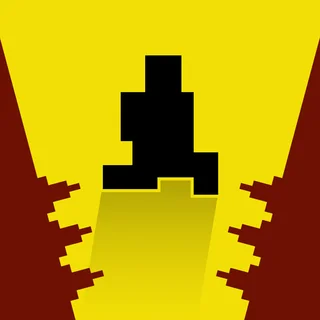




G-Switch unblocked: play G-Switch online free right here in your browser — no download, no sign-up, works on a school Chromebook.
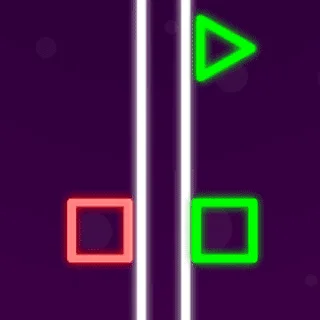
G-Switch strips platforming down to a single lightning-fast reflex: flipping gravity. Created by Serius Games, this iconic endless runner places you in control of a robotic sprinter tearing across neon platforms suspended in the void. There is no manual steering, no acceleration throttle, and no jump button. Instead, your runner sprints forward at relentless velocity, and every tap flips your orientation instantly between the floor below and the ceiling above.
A single misjudged switch sends your runner hurtling into the abyss or crashing headfirst into an oncoming barrier. Checkpoints along the track give you instant respawns in the solo campaign, turning every run into a rhythm puzzle where you memorize tricky gaps and calculate inverted landings before the screen scrolls past. Because runs restart without delay, testing your reflexes feels addictive from your very first death.
Beyond the single-player obstacle courses, G-Switch stands out for its frantic local multiplayer mode. Up to six players can crowd around one keyboard, each assigned a single key to trigger their own gravity flips. When several runners are darting across the same corridor at full speed, surviving becomes a test of peripheral vision and sheer composure.
How to play
Your character runs forward automatically from the moment the stage begins. To survive, you must flip gravity whenever a platform ends or an obstacle blocks your path:
- Single-player action: Press the Left Mouse Button, Spacebar, or Up Arrow to flip gravity between floor and ceiling while your runner is grounded.
- Mid-air timing: You can only flip gravity when your character's feet touch a surface. Once you are airborne, you must wait until you land on the opposite platform before switching again.
- Speed pads and gates: Green arrows launch you forward with massive acceleration, while red zones alter your tempo. Anticipate where your trajectory will land before hitting high-speed sections.
- Multiplayer controls: In local multiplayer, each participant selects an individual keyboard key from the setup menu to control their dedicated racer.
Tips for staying on track
Navigating later stages requires looking ahead rather than watching your character's feet:
- Look at the right edge of the screen: Watching your runner causes late reactions. Keep your eyes fixed on incoming platforms so you can plan whether to flip early or ride a surface to its edge.
- Respect mid-air commitment: Because you cannot trigger a flip while flying between surfaces, ensure your target ceiling or floor actually exists before you leap into empty air.
- Use speed boosts carefully: Boost gates dramatically shorten your reaction window. Prepare to flip the instant you regain footing after a launch.
Similar games on Poor Bunny
If you enjoy the pure twitch timing of G-Switch, Poor Bunny hosts several fast-paced companion games. Level Devil challenges your muscle memory with sudden environmental tricks and trolling hazards. Two Button Bounce offers another clever minimalism exercise where limited inputs dictate entire movement arcs, while Big Tower Tiny Square 2 delivers grueling vertical precision platforming across giant obstacle-laden towers.
Questions about G-Switch
Is G-Switch unblocked at school?
G-Switch runs in an ordinary browser tab from poorbunny.org, with nothing to download or install, so it plays on most school Chromebooks and work computers. If a network filter blocks the site, only that network's administrator can change it.
How many players can play G-Switch on one keyboard?
Local multiplayer supports up to six players competing simultaneously on a single keyboard, with each runner using one assigned key to flip gravity.
Can I flip gravity while my character is mid-air?
No, gravity flips can only be triggered while your runner is running on a floor or ceiling. Once airborne, you must touch a surface before switching again.
Do I need to download or install G-Switch to play?
No downloads or plugins are required. G-Switch runs directly in your web browser on desktop computers, laptops, and Chromebooks.